Before You Begin
This section contains a general description of the system including browser compatibility, account hierarchy, access restrictions and contingencies relating to client information.
Browser Compatibility
The SIM Connectivity Management system is compatible with all standard commercial web browsers, such as Google Chrome, Mozilla Firefox, Microsoft Edge, and Safari, ensuring seamless accessibility and usability across different platforms.
User Access and Usage Authorization
Access to the SIM Connectivity management system is restricted to registered users exclusively. Each user is assigned specific user authorizations based on their designated user roles within the system. These authorizations align with their respective roles' permissions, ensuring that users only have access to the functionalities and data pertinent to their responsibilities. By enforcing this user-role based access control mechanism, the system maintains security and confidentiality while facilitating efficient management of SIM connectivity operations.
Account Hierarchy and Multi-Tenancy
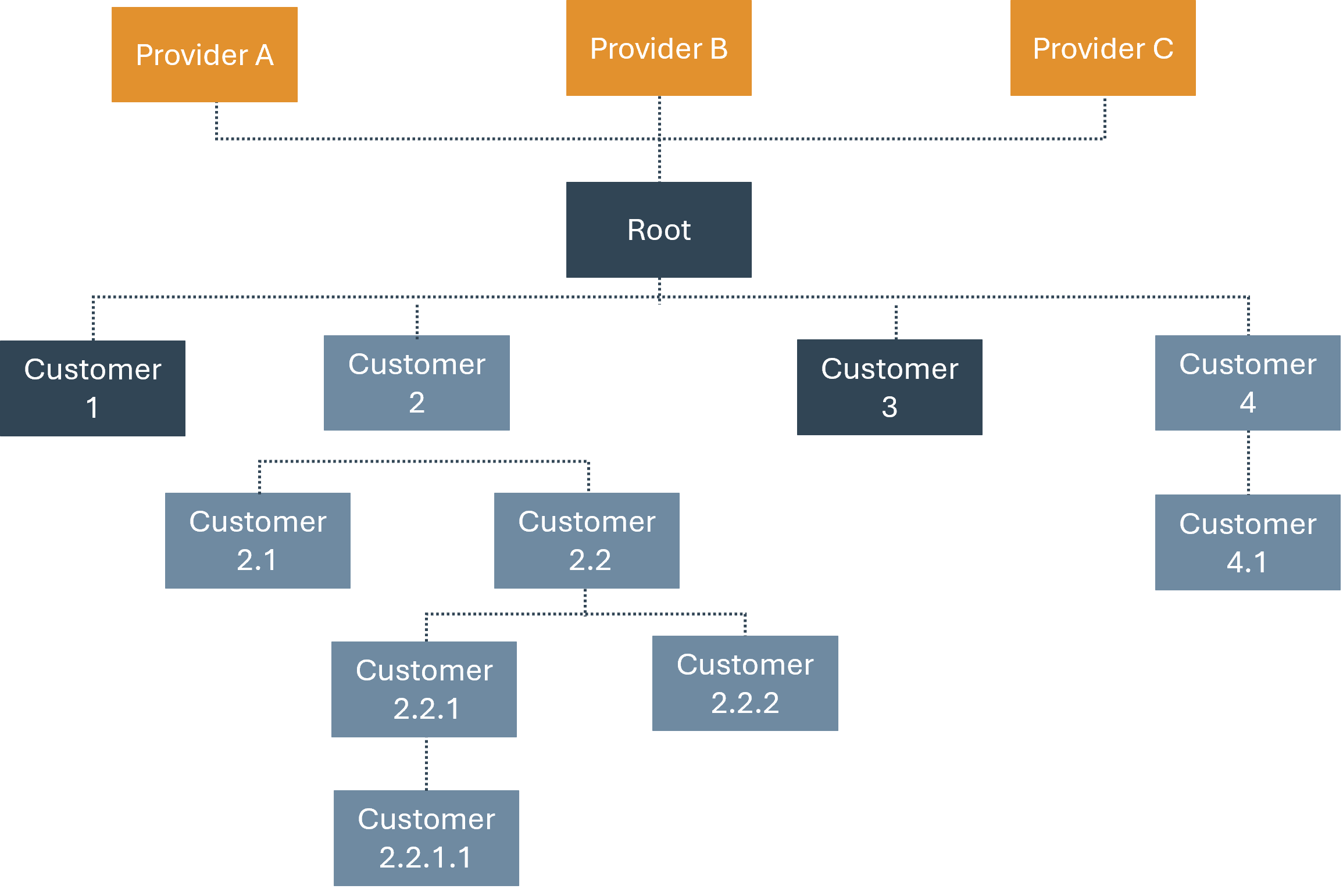
The platform account structure is hierarchical; every (mainly customer) primary (or parent) account can have multiple, multi-level child accounts under it. A child account inherits the functions and permissions of its parent account, with the only difference being the resources it can access. The system is multi-tenant; every piece of information is distinguished by the account it belongs to. This ensures that an account can access only its own information and resources and is shielded from other accounts. The following diagram illustrates the account hierarchical structure:
Client Information
Should a power outage occur on the client end, it is important to note that any information stored in the CMP application memory will not be preserved. We advise users to regularly save their work to avoid potential data loss in such situations.